Make the next step clear.
Show who does what, what they need and what a finished step looks like.
A4 instruction PDFSOP TEMPLATES FOR REAL WORK
Start with a complete example. Make it your own. Give your team a clear instruction, a practical checklist and editable training slides from one reviewed process.
Start with notes you already have. Review every step yourself.
The right files. The right person. A clear record.
Match the files to the task brief. Record any open issues.
Name the receiving lead and check they can open the package.
Confirm receipt or send a correction request.
Illustrated from our fictional project handover example.
A standard operating procedure (SOP) template provides a structure for recording how a repeatable task is performed: its purpose, scope, owner, inputs, ordered steps, checks and exceptions.
MORE THAN A DOCUMENT
Show who does what, what they need and what a finished step looks like.
A4 instruction PDFTurn the process into a checklist people can use while doing the work.
A4 checklist PDFExplain the same steps with training slides you can keep editing in PowerPoint.
Editable PPTXSEE WHAT YOU COULD MAKE
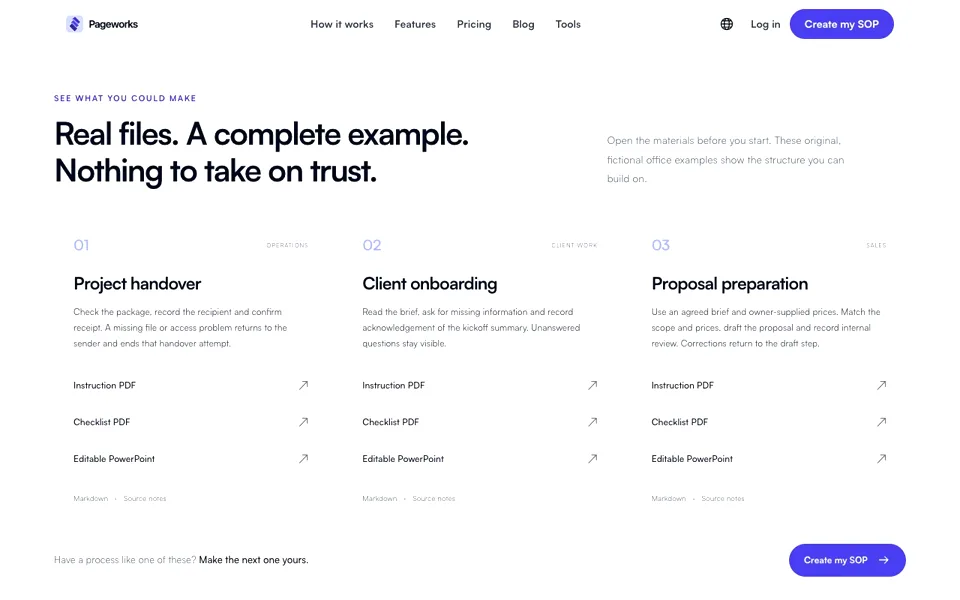
Open the materials before you start. These original, fictional office examples show the structure you can build on.
Check the package, record the recipient and confirm receipt. A missing file or access problem returns to the sender and ends that handover attempt.
Read the brief, ask for missing information and record acknowledgement of the kickoff summary. Unanswered questions stay visible.
Use an agreed brief and owner-supplied prices. Match the scope and prices, draft the proposal and record internal review. Corrections return to the draft step.
Have a process like one of these? Make the next one yours.
Create my SOPSTART WITH WHAT YOU ALREADY KNOW
You know how the work gets done. Bring that knowledge into a process you can review and use.
Paste your notes or upload a readable document. Start with one task you already do.
Review the steps, roles and checks. Add screenshots where they help. Resolve the missing details.
Confirm your revision. Download matching instructions, checklists and editable slides.
You confirm the process. AI helps prepare it.
PREFER TO START WITH A STRUCTURE?
Map the roles, inputs and checks before you write the steps.
This reference explains document structure. It does not endorse this product or certify these fictional office examples. Follow your organization’s applicable requirements.
Pageworks · Content reviewed:
A FEW THINGS TO KNOW
Your text and screenshots stay editable. Confirmed revisions stay fixed.
State the purpose, scope, responsible role, prerequisites and inputs. For each ordered step, record the action, responsible role, expected output and checks. Write conditional routes and escalation explicitly, then record the revision and approval date.
No. They are original fictional office examples prepared to show the structure and consistent exports. Replace their roles, conditions and inputs with your own verified process.
The saved draft changes, while confirmed revisions remain fixed. Materials from an older revision show a change notice in the workspace. Review and confirm a new revision, then export the files again. A downloaded file cannot update itself.
No. AI prepares a draft from the supplied text. Source quotes help you locate evidence; they do not prove the interpretation. Missing information remains a question, suggestions require adoption, and you review the actual process before confirmation.
Download A4 instructions and checklists as PDF, Markdown, revision JSON and editable training PPTX. Your plan’s export rights and slide limits apply.
This preview is for office instructions from notes or documents, with separately attached screenshots. It does not include browser recording, video recognition, medical or industrial procedures, regulatory certification, LMS or SCORM.
Examples follow the page language and illustrate structure. They are fictional and do not certify customer procedures or regulatory compliance. New AI drafts and export labels use the language selected for the process. Changing the interface does not translate a saved process.
YOUR NEXT HANDOVER CAN BE CLEARER
Choose one task. Bring your notes.
Make something the next person can use.
AI drafting uses your existing generation allowance. PPTX export follows your plan’s export rights and slide limit. No separate SOP subscription is required.
Turn a documented process into clear instructions and a checklist.