
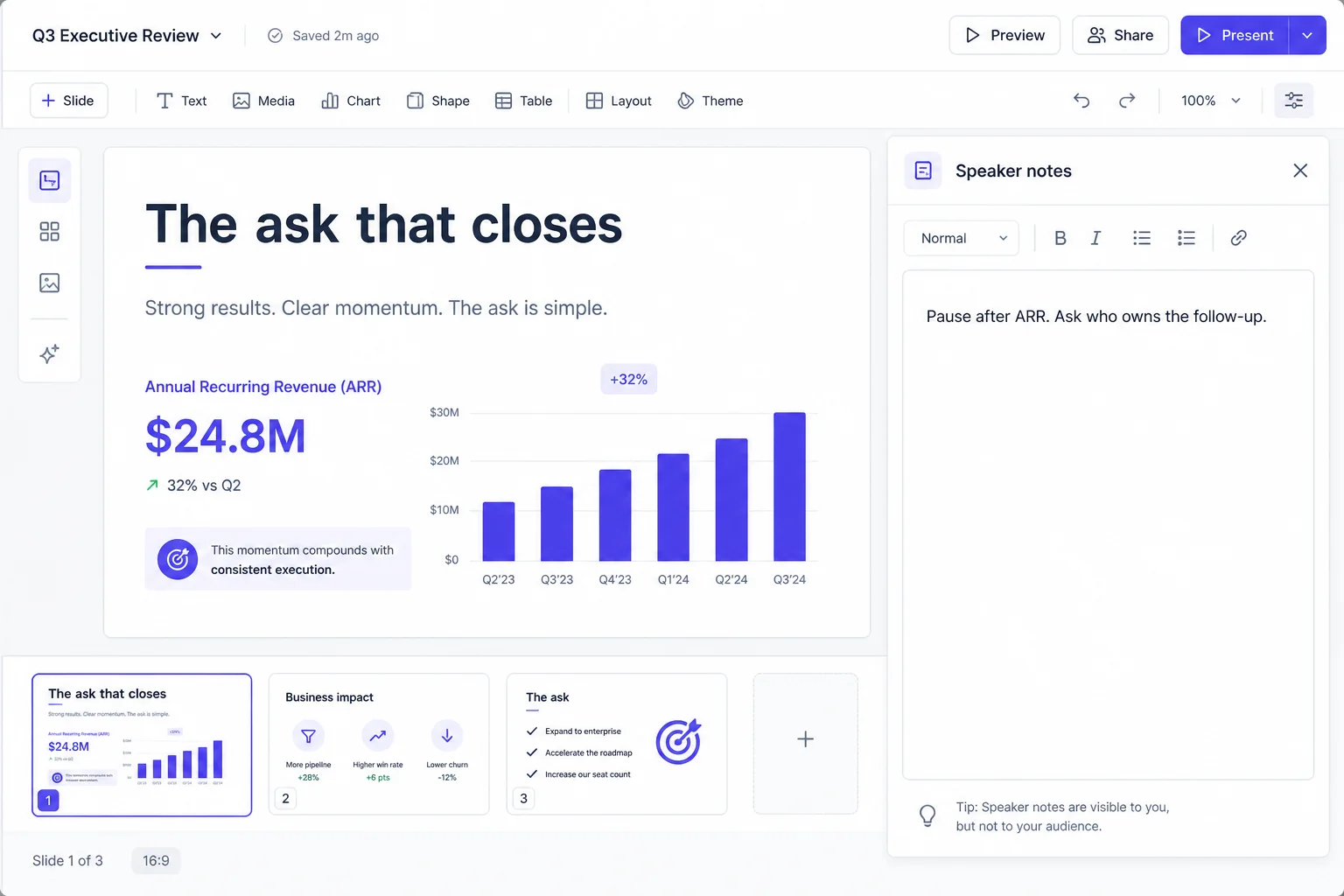
Speaker notes
Prepare for a confident delivery with AI speaker notes: key points, pauses, and follow-up questions for every slide.
Leadership rooms
Explore a nine-slide quarterly business review with results, risks, priorities, and decisions, plus speaker notes for your meeting.
Full sample deck - 9 slides
9 slides · hover a card for presenter notes
 01
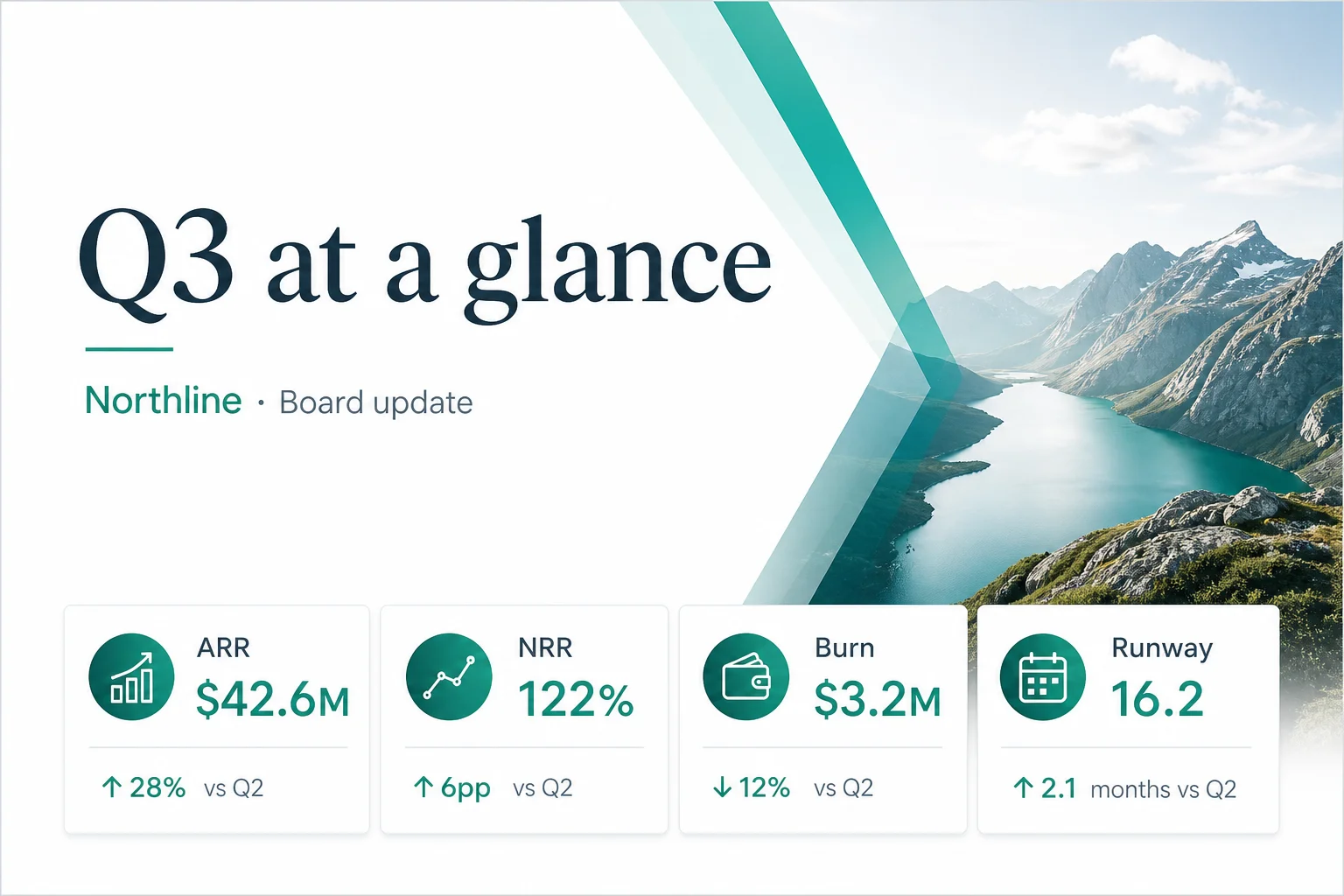
01Snapshot - Q3 at a glance
Presenter note · Thirty seconds on the four chips. Don’t narrate every number - invite the first question.
 02
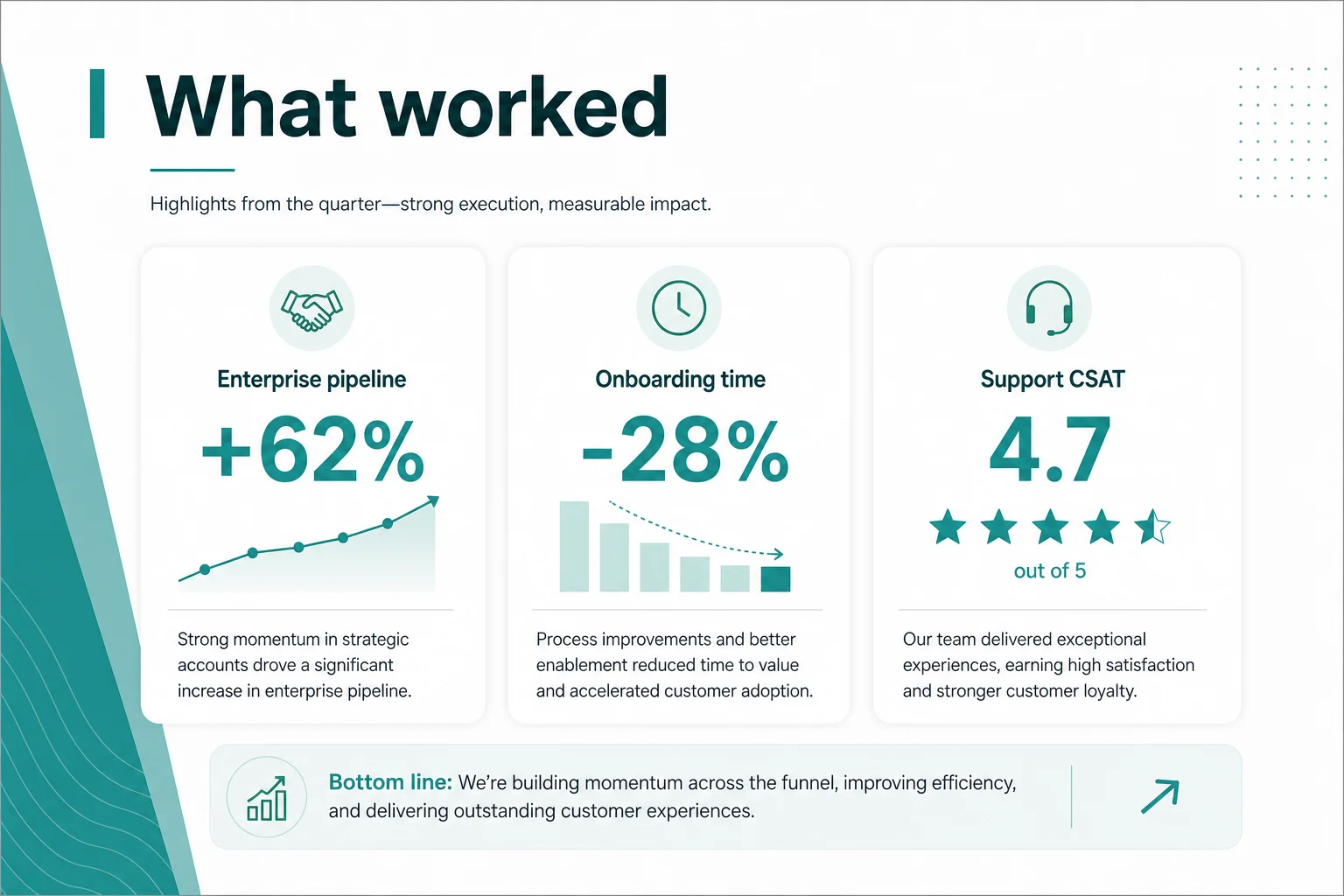
02Wins - What worked
Presenter note · Celebrate once, then pivot to why it scales. Board wants repeatability.
 03
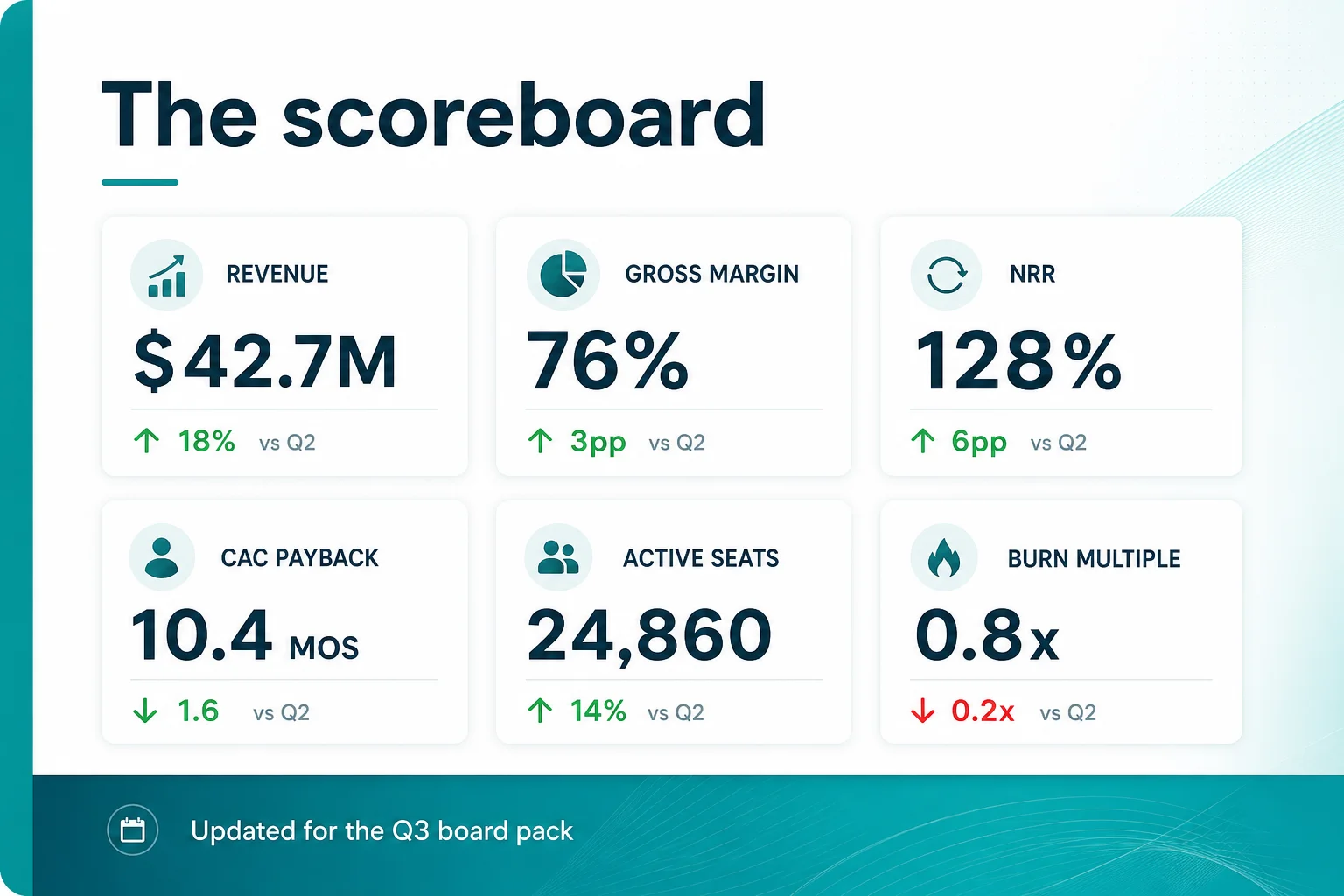
03Scoreboard - The numbers
Presenter note · Highlight NRR and burn multiple. Offer appendix for the rest.
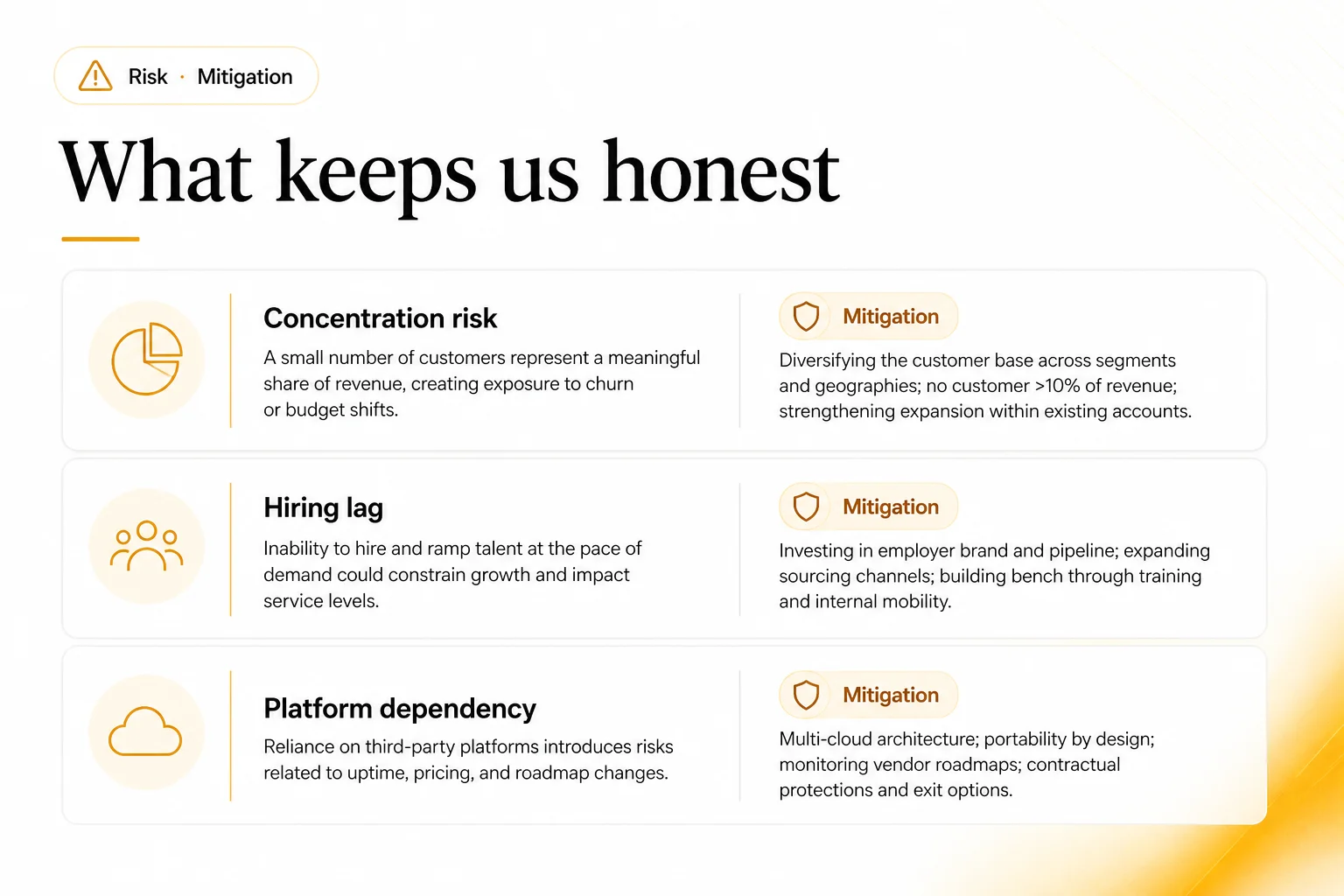 04
04Risks - What keeps us honest
Presenter note · Lead with mitigation, not drama. Concentration risk usually gets the first dig.
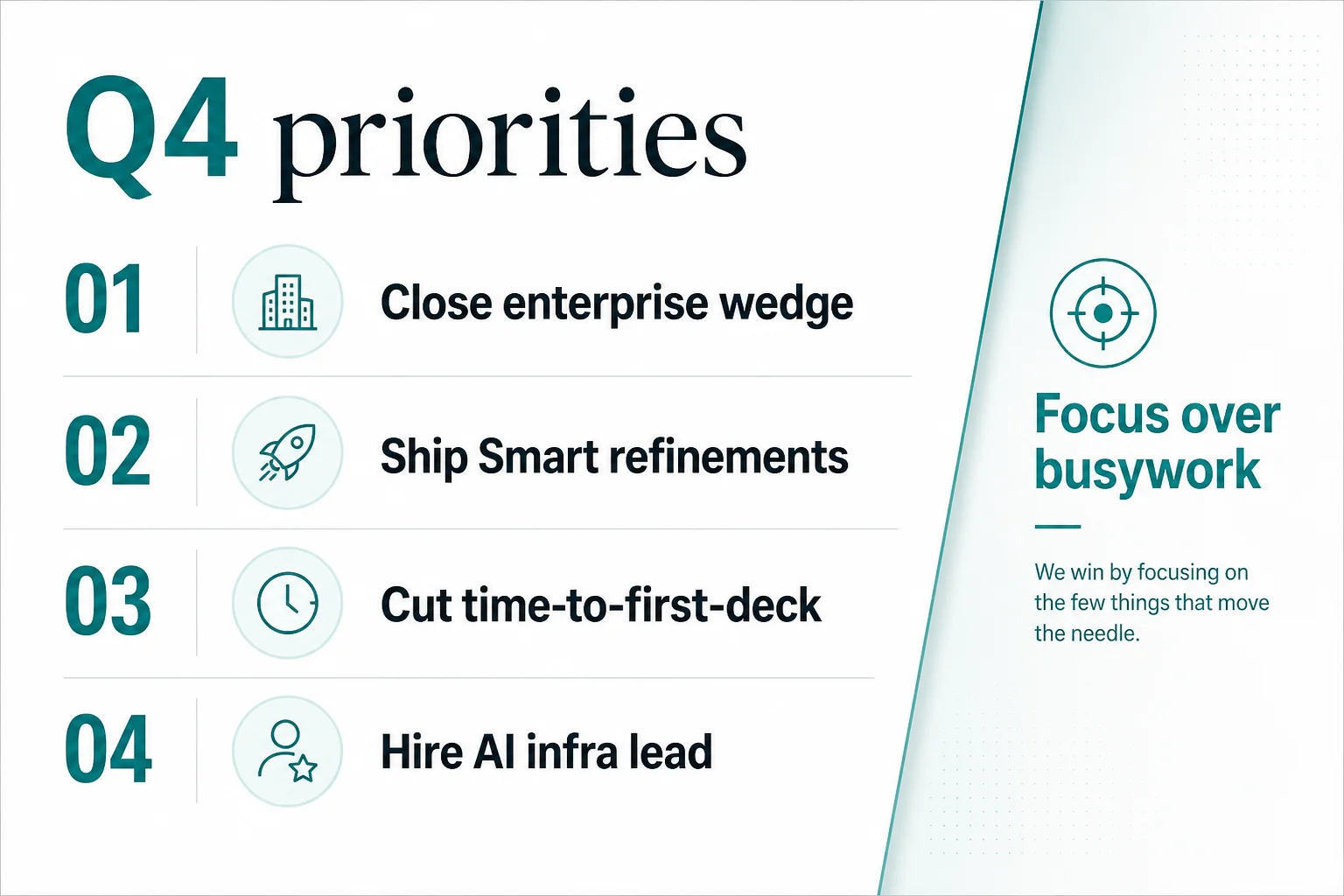 05
05Priorities - Q4 focus
Presenter note · Say what you will not do. Focus is the story.
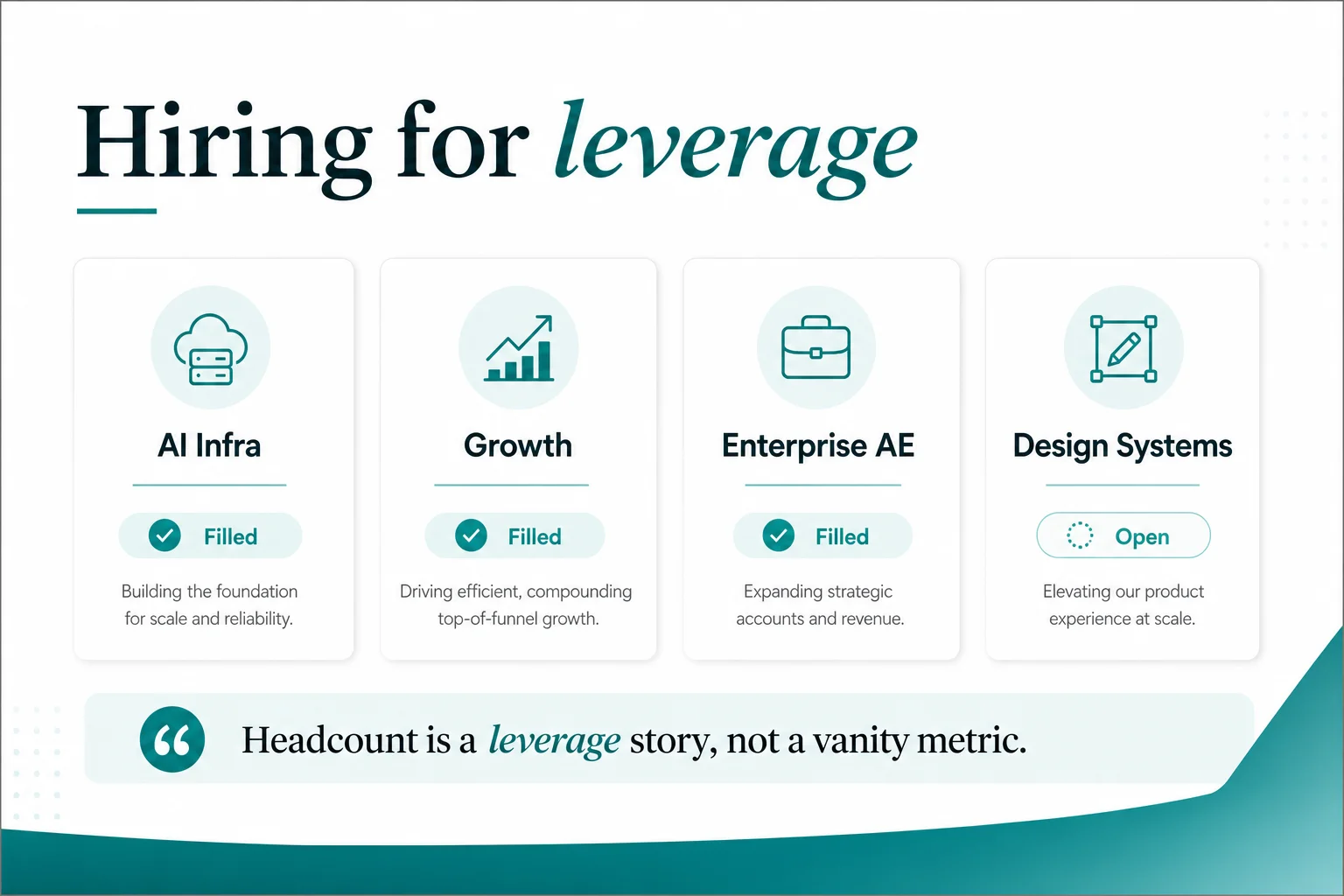 06
06Hiring - Leverage plan
Presenter note · Frame headcount as leverage. AI infra + enterprise AE usually need board air cover.
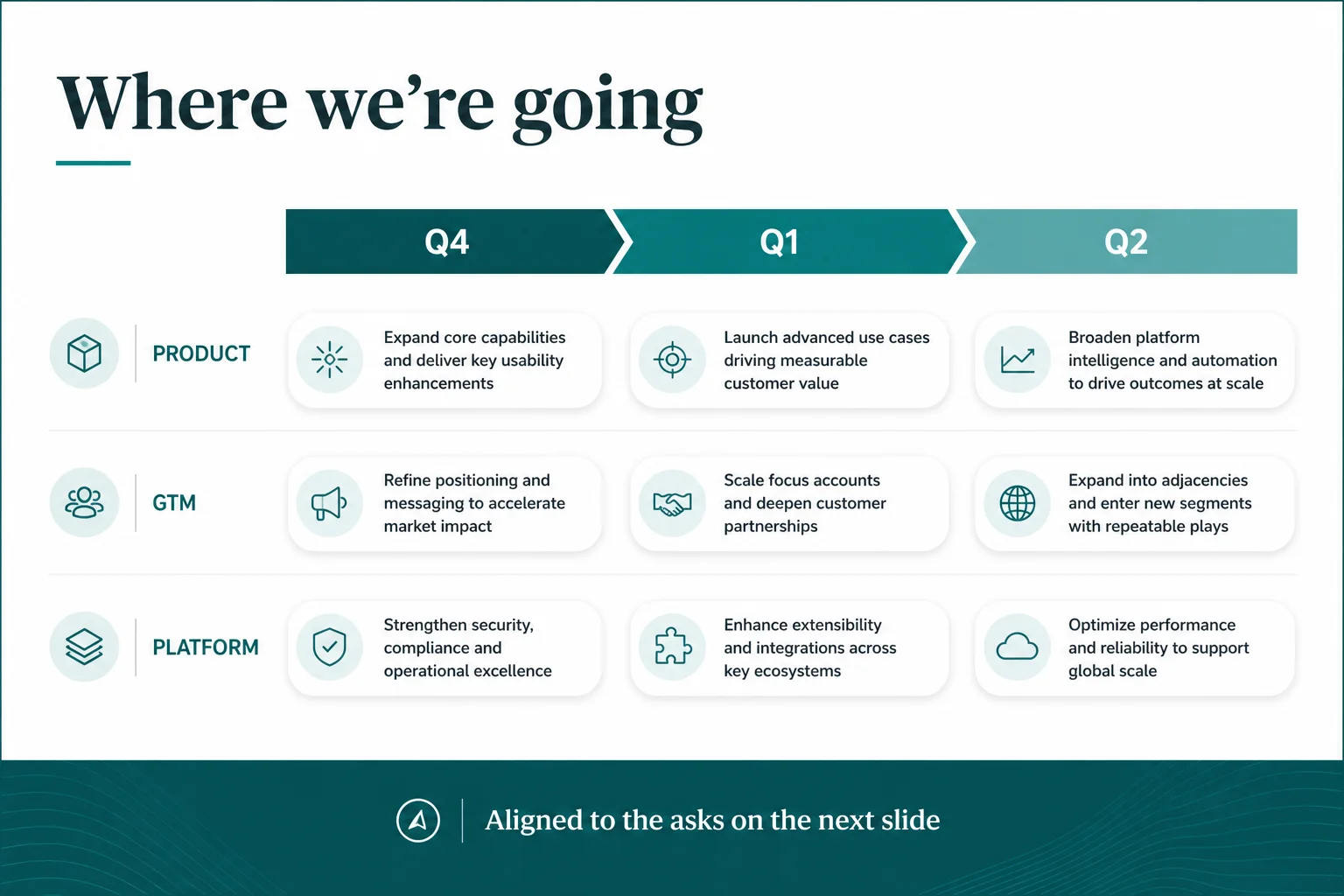 07
07Roadmap - Where we're going
Presenter note · One milestone per quarter out loud. Link each to an ask on the next slide.
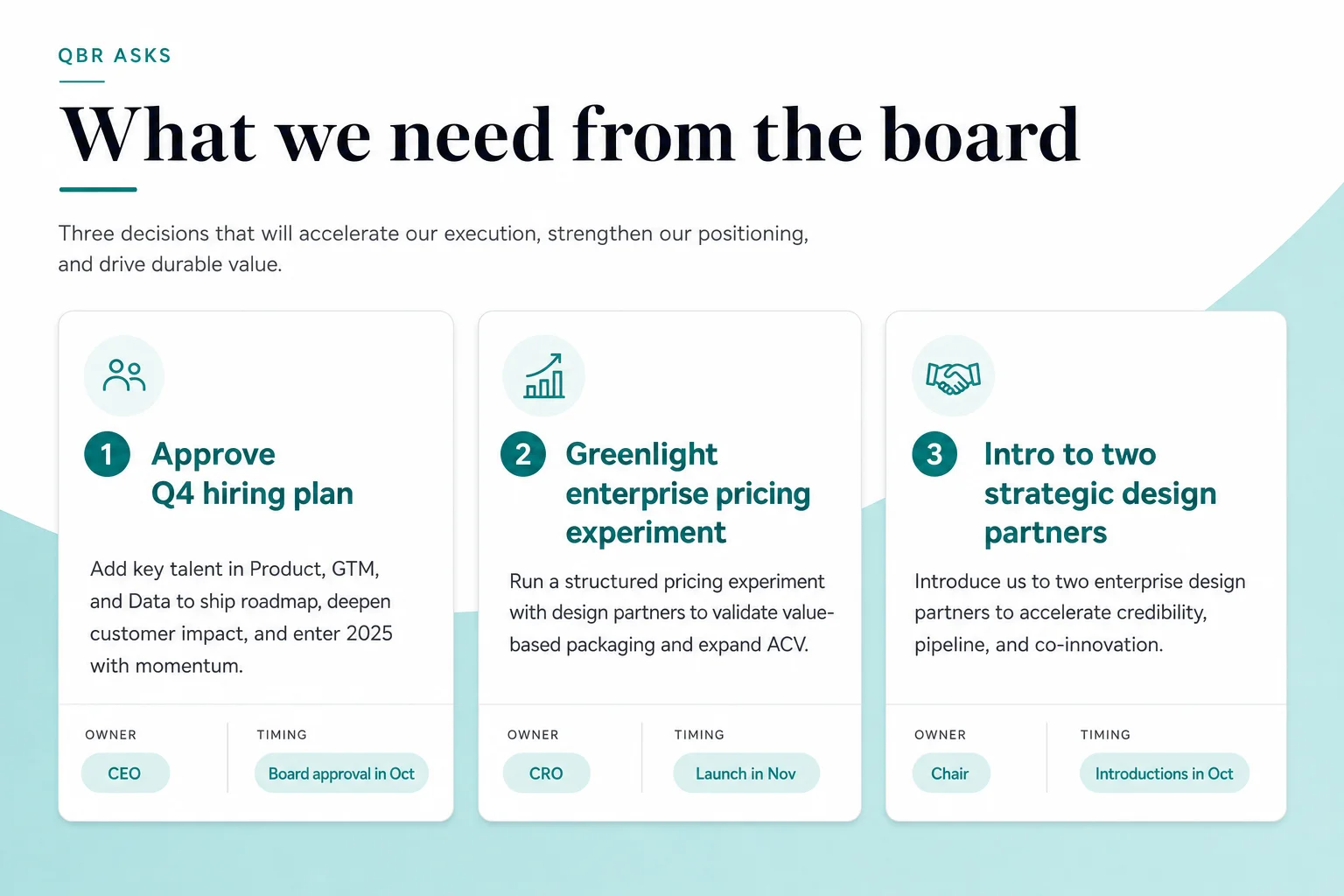 08
08Asks - What we need
Presenter note · Three asks max. Confirm owners and timing before closing.
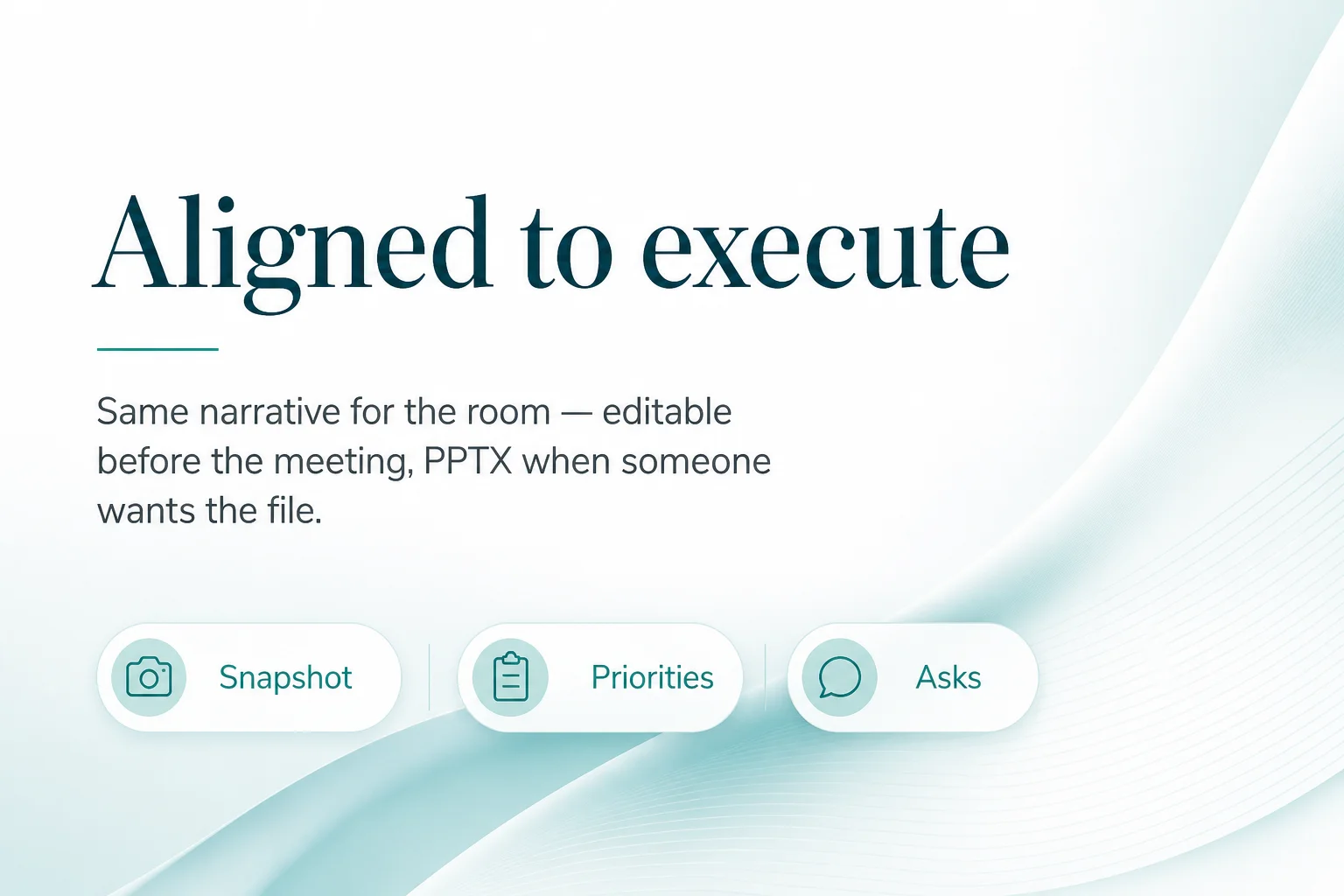 09
09Close - Aligned to execute
Presenter note · Leave the PPTX in the pack. Offer live edit if a number moved this morning.
Presenter extras
Prepare for your presentation with speaker notes, AI editing, design themes, and PowerPoint export.
Prepare for a confident delivery with AI speaker notes: key points, pauses, and follow-up questions for every slide.
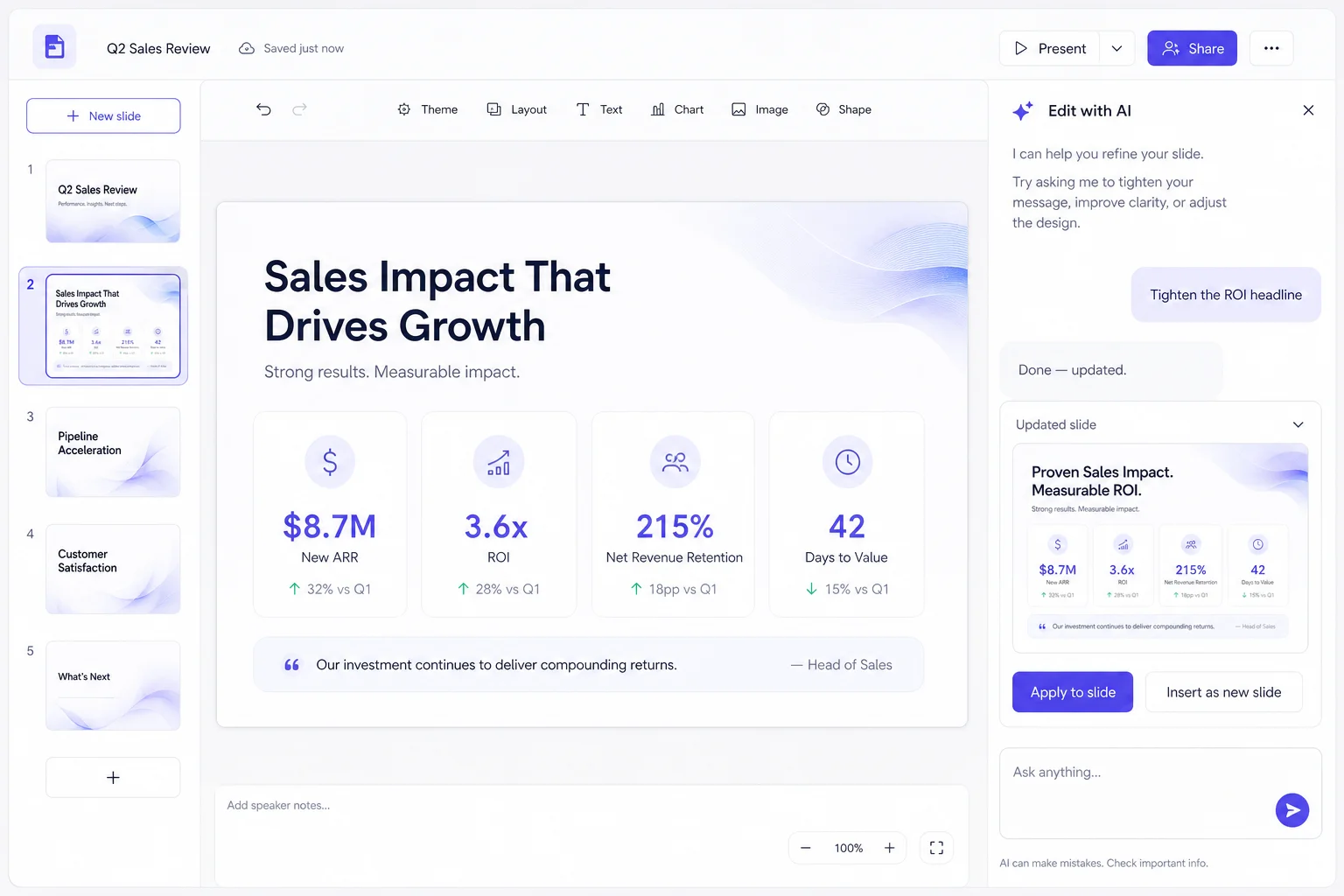
Tighten a headline, swap proof, or reshape a section in chat - without rebuilding the whole deck.
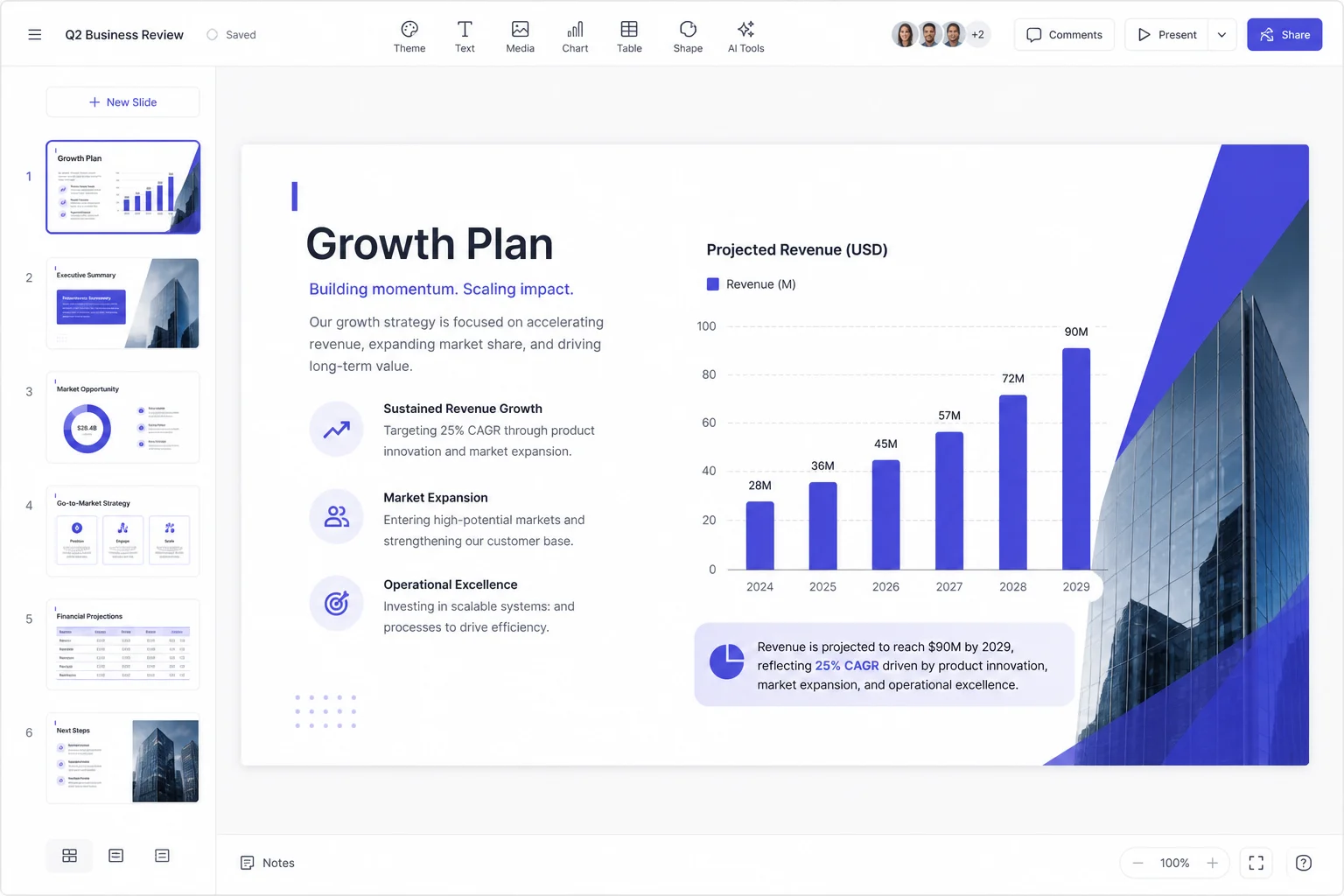
Change the theme and move between slides to polish your presentation before the meeting.
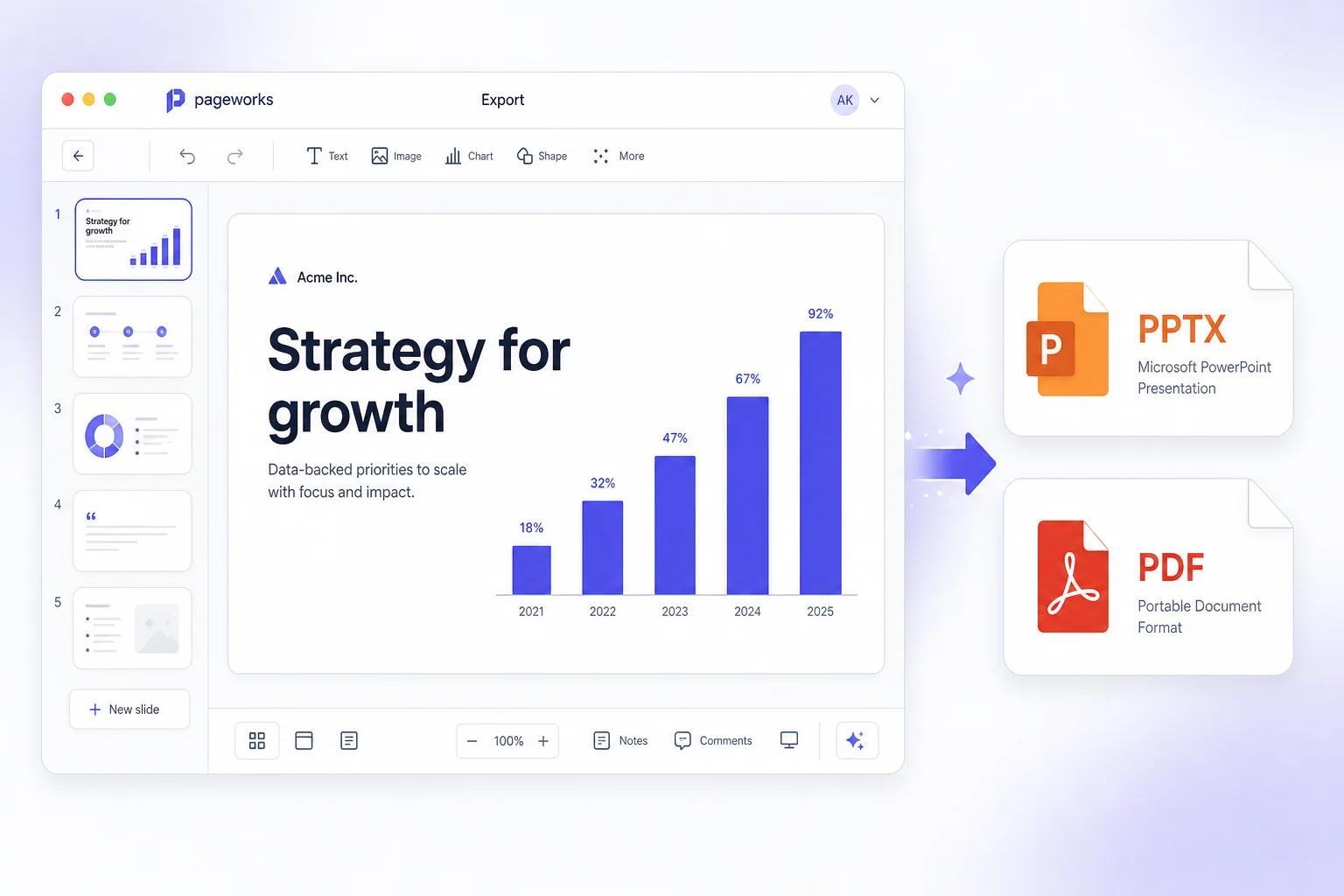
Present in the browser or hand over a PowerPoint file stakeholders open offline - same deck you just edited.
Structure leadership expects
Snapshot, wins, risks, priorities, hiring, asks - no more freeform wall of text on a blank slide.
Notes for your presenter
Speaker notes carry the digressions - so the slides stay scannable and the presenter stays sharp.
Share or present
Present in the browser during your meeting, or send a PowerPoint file afterward.
Ready for the QBR?
Turn results into clear decisions. Present your priorities with confidence, keep speaker notes close, and share your report in PowerPoint.
Make your next presentation stand out. Create with AI, make every slide your own, and unlock editable PowerPoint and watermark-free sharing with Pro.