A starting point from your material
Paste your research or upload a document. Get AI section suggestions to review against your source, then make the story your own.
RESEARCH POSTER MAKER & TEMPLATES
Turn your research into an editable conference poster. Start with AI-suggested sections, keep your original figures, and make the final story yours.
Interface, AI suggestions and examples in eight languages.
Your research, at the centre.
Source materialAI section suggestionsYour reviewEditable posterLESS LAYOUT FRICTION. MORE RESEARCH.
Keep the question, the finding and the evidence in focus, from the first section to the final file.
Paste your research or upload a document. Get AI section suggestions to review against your source, then make the story your own.
Add your original scientific images. Keep their proportions, write the captions and check how much detail they retain at the printed size.
Export native PowerPoint text and tables for further editing, alongside a PDF with the actual A0 or 48 × 36 inch page size.
OPEN IT. EDIT IT. MAKE IT YOURS.
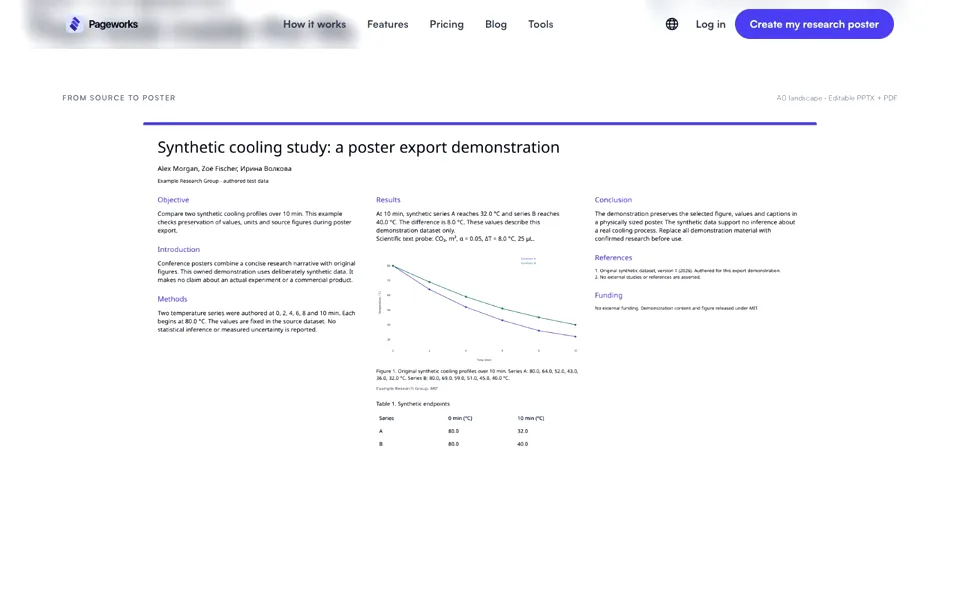
Explore a finished example before you start. The heading is editable text. The results are a native table. The scientific figure stays an original image.
A STRONG STARTING POINT
Start in the app, or download a blank PowerPoint template.
Each layout comes in A0 and 48 × 36 inches, landscape.
A clear story, from question to conclusion.
Background · Methods · Results · Discussion
Give the result that matters more room.
Wider central column · Supporting evidence
Make space for the visuals behind your research.
Large figure area · Concise supporting text
A0 landscape is 1189 × 841 mm. Check your conference size and orientation before you begin. Template & sample license · Font license.
CONFERENCE POSTER ESSENTIALS
A research poster brings a study’s question, methods, findings and evidence into one conference display. Choose the event’s dimensions first, then shape your story.
Size and orientation rules vary by event. These references explain poster design and custom slide setup; your conference sets the requirements.
FROM THE MATERIAL YOU ALREADY HAVE
Paste text or upload TXT, MD, PDF, DOCX, PPTX or XLSX. Add your figures separately.
Review the proposed sections, check every claim against the source and edit the text.
Confirm your material. Preview the poster, then download the actual-size PDF and editable PPTX.
Yes. Text remains native and editable, and the completed example includes a native rectangular table. Source figures remain images, with captions as separate editable text.
AI can suggest sections from your source material. You review the claims, measurements, references, authorship and figure permissions before confirming the poster. A source quote is evidence to inspect, not an automatic check of scientific meaning.
A0 landscape and 48 × 36 inch landscape. Interface, AI suggestions, examples and templates are available in English, Spanish, Brazilian Portuguese, Russian, German, French, Japanese and Korean. Portrait, A1 and custom sizes are not offered. Changing the interface does not translate a saved poster.
Generation uses your account’s existing allowance. Editable PPTX export follows your existing plan access. Template downloads are separate from generating a poster in the app; no new plan or unlimited-generation offer is introduced here.
Confirm your conference dimensions, check the scientific content and inspect the PDF and PPTX. Figures below 150 DPI at their placed size are flagged. Native Office equations, rich LaTeX and merged tables are unsupported; unsupported characters and overflow stop export for review. Open the PPTX in your own PowerPoint version before printing. PDF/X, CMYK, bleed and printer certification are not claimed.
MAKE THE FINDING THE FOCAL POINT
Your material. Your figures. Your final say.
Create my research posterExisting account access and export entitlements apply.
Present your research in a clear conference poster.