
Cornell Notes & Frayer Model: Make Every Lesson Easier to Understand
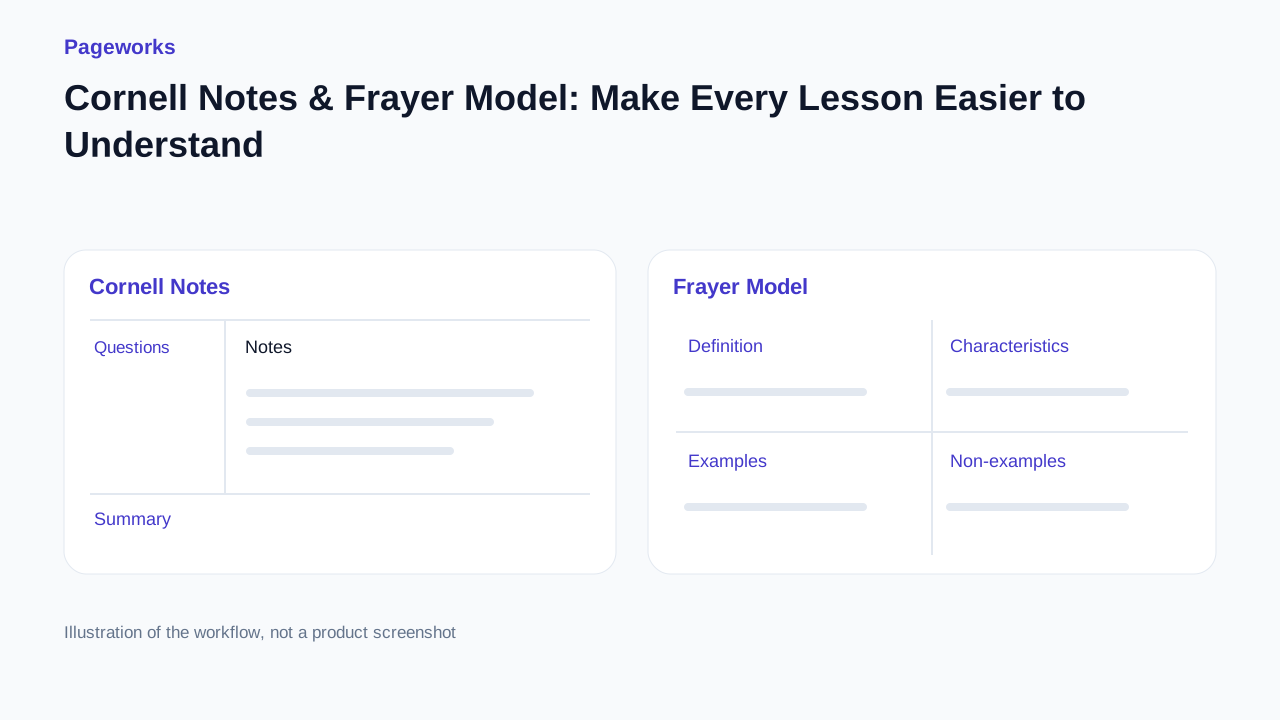
Give one idea three powerful ways to land. Use Frayer to clarify the concept, Cornell to connect questions with explanations, and compact notes to make revision easier. Bring the result straight into your presentation.
See what your next lesson can become
One source, connected materials. Explore the finished result before creating your own.
Choose by the result you need
Use Pageworks to build study material that continues into an editable presentation, Canva to explore template designs, and LessonViz for a manually filled, printable Frayer organiser. A blank worksheet and an AI-filled guide serve different classroom activities.
What to compare
| Format | Structure | Learning activity |
|---|---|---|
| Cornell notes | Put cue questions on the left, notes on the right and a recap underneath. | Cover the notes and answer the cues aloud. Rewrite a cue that does not help you recall the key idea. |
| Frayer model | Explore one term through its definition, characteristics, examples and non-examples. | Ask students to explain why a non-example falls outside the definition. Check that the source supports the distinction. |
| Compact guide | Keep the main ideas and a few useful questions in a short, readable reference. | Use it to prepare a recap, then return to the fuller material when a point needs explanation. |
Why choose Pageworks
Pageworks brings all three formats into the same study workflow. The phytoplankton example lets you switch between the structures, inspect related questions and open a private editable copy. You can then insert selected material into a presentation you are already preparing.
This fits a teacher who needs to explain the same concept in several ways. Keep a definition clear in the Frayer model, turn it into a Cornell cue and check that the question on a slide asks about the same idea. Review each output before teaching.
Other useful choices
Canva
A broad library of editable graphic-organiser designs, plus guidance and templates for Cornell notes.
LessonViz
A Frayer maker with manual fields and print-oriented output; we created an organiser and downloaded an SVG.
Before you use the result
- Decide who fills the sheet. Leave space for a student’s own thinking when that is the activity.
- Check examples and non-examples against the definition. A plausible extra detail can change the concept.
- Inspect the final page or slide at its real viewing size. Allow enough space for reading or handwriting.
Switch between Cornell, Frayer and compact notes in the same example.
Sources and method
Checked on 17 October 2026. We explored the three formats in our own Pageworks example and manually created and downloaded a Frayer organiser in LessonViz. Canva descriptions use the linked official pages. This comparison does not measure learning outcomes.
Related guides
Less prep. More powerful lessons.
Explore the sample lesson, switch between Cornell, Frayer and compact notes, then open an editable copy in Pageworks.
Explore the lessonRelated articles
Oct 17, 2026 · 3 min read
Best AI Tools for Teachers: Turn One Source into a Lesson Pack
Oct 17, 2026 · 3 min read
One Text, a Complete Lesson Pack: Notes, Questions & Slides

Nov 30, 2025 · 2 min read
Classroom decks that keep eyes up, not on phones