
Refine your slides with AI and keep your presentation consistent
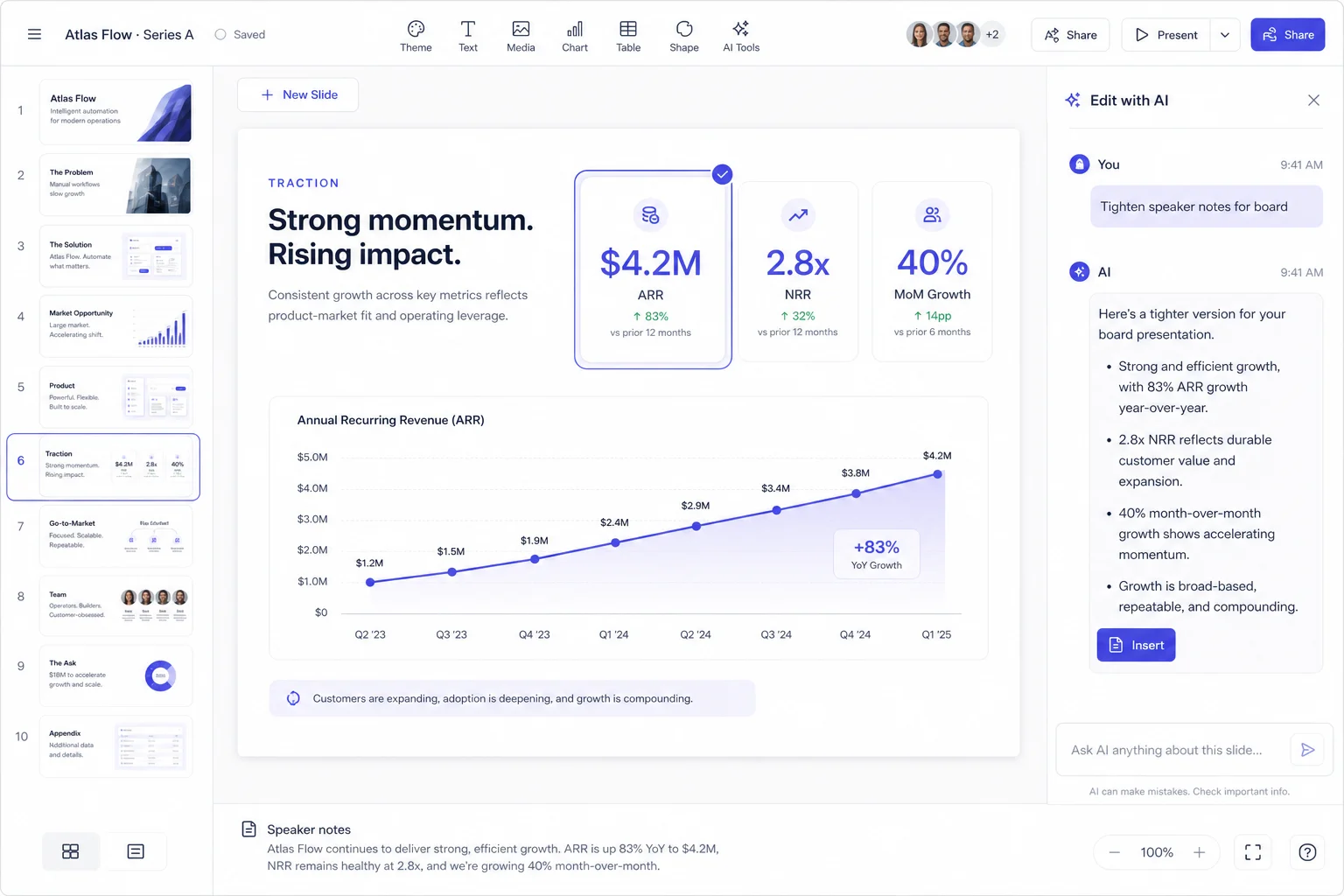
On a twelve-slide deck, ask for a change only to slide four: shorten its title while preserving 'FY2025', 'USD millions' and the value 281,724.
Worked example
Use these starting values to work through the decision, then substitute your own inputs.
On a twelve-slide deck, ask for a change only to slide four: shorten its title while preserving 'FY2025', 'USD millions' and the value 281,724. Save the original version first. Check those three protected fields after the edit, then inspect the neighboring slides for unintended changes. If you also want a new tone and layout, make those separate operations. Smaller instructions make failures easier to identify and reverse; they do not remove the need to review the output.
Keep a trace from source to slide
Separate approved statements, unresolved questions and proposed actions before generating. Give each important claim a short identifier and source location. This makes review possible even when the wording and order change.
- Make a working copy and remove comments or alternatives that should not appear as approved facts.
- Match every proposed slide to its supporting passage. An empty source field is a request for clarification, not permission to fill a gap.
- Review the final output beside the original. Check numbers, names, conditions and owners before you change the visual style.
Create your next presentation
Turn your own source into a presentation you can confidently share. Refine the outline and slides in the editor, then choose Pro for editable PowerPoint your team can keep improving.
Related guide
Build your next presentation with Pageworks
Make your next presentation stand out. Create with AI, make every slide your own, and unlock editable PowerPoint and watermark-free sharing with Pro.
Related articles
Sep 29, 2026 · 3 min read
Best Fonts for Presentations: Readability and PPTX Handoff

Mar 8, 2026 · 2 min read
5 presentation mistakes to fix before sharing your deck

Feb 28, 2026 · 2 min read
How AI presentation tools help you save time