Phytoplankton
Definition
Microscopic aquatic organisms, including diatoms and cyanobacteria.
Characteristics
Microscopic; fresh or salt water; primary producers.
Examples
Diatoms; cyanobacteria.
Non-examples
Fish; zooplankton.
AI worksheet generator
Turn your own text or document into practice questions and a separate answer key. Review the wording, adapt the tasks and prepare a handout for your next lesson.
One source, connected materials. Explore the finished result before creating your own.
One topic. Different ways to understand it.
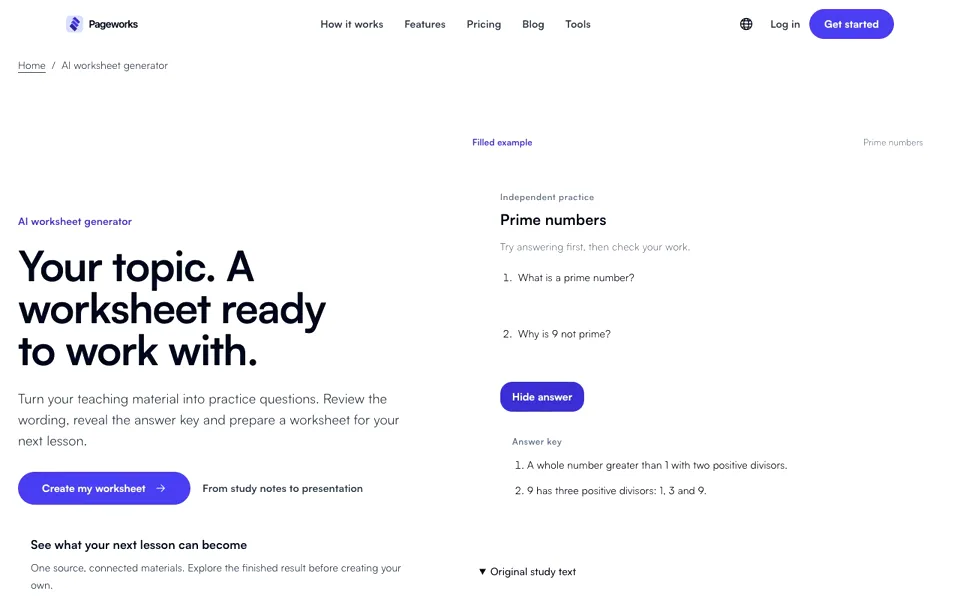
Filled example
Prime numbersIndependent practice
Try answering first, then check your work.
What is a prime number?
Why is 9 not prime?
Copy the text and paste it into the form below. Choose a format before creating your material.
An AI worksheet generator turns your teaching material into practice tasks and a separate answer key. Review the wording and difficulty for your learners, then prepare a student handout or a teacher version with solutions. Generated tasks still need your approval.
Paste text or upload a file. Choose the result format and language in the form.
Turn your source into study materials and editable slides. Add your explanations, polish the design, and present your lesson with confidence.
Editable presentation
Open your generated material on slides and edit the text and content blocks.
Sign in to save to your account. Generation and exports follow your plan; native PowerPoint export requires Pro.
TXT, MD, PDF, DOCX, PPTX or XLSX · up to 20 MiB and 60,000 extracted characters.
NASA Earth Observatory
Phytoplankton and photosynthesis
Choose notes, exercises or a quiz. Open the example in the editor and make it fit your lesson.
Phytoplankton and photosynthesis Educational summary based on NASA Earth Observatory, What are Phytoplankton? https://science.nasa.gov/earth/earth-observatory/what-are-phytoplankton/ Phytoplankton are microscopic organisms living in fresh and salt water. Examples include diatoms and cyanobacteria. Fish and zooplankton are not phytoplankton. Phytoplankton contain chlorophyll. Photosynthesis uses light to produce chemical energy, consumes carbon dioxide and releases oxygen. Eating another organism is not photosynthesis. Some phytoplankton also obtain energy by feeding on other organisms. Growth depends on light, carbon dioxide and nutrients. Temperature and salinity also influence growth. More light alone does not guarantee more growth when nutrients are limited. Phytoplankton are primary producers at the base of aquatic food webs. Zooplankton and small fish feed on them; larger animals can feed on those consumers. Removing primary producers can affect the organisms that depend on them.
NASA: What are Phytoplankton?Microscopic aquatic organisms, including diatoms and cyanobacteria.
Microscopic; fresh or salt water; primary producers.
Diatoms; cyanobacteria.
Fish; zooplankton.
Light is converted to chemical energy; carbon dioxide is consumed and oxygen released.
Uses light and chlorophyll; produces chemical energy.
Photosynthesis in diatoms and cyanobacteria.
Eating another organism.
Explain why a fish is not phytoplankton.
More light is available, but nutrients remain scarce. Is more growth guaranteed? Explain.
Which gas is released during photosynthesis?
Oxygen. Light is converted to chemical energy; carbon dioxide is consumed and oxygen released.
Which is an example of phytoplankton?
A diatom. Microscopic aquatic organisms, including diatoms and cyanobacteria.
1 / 7
Continue with the worksheet and answer key. Review the tasks before adding slides.
Phytoplankton lesson, based on NASA Earth Observatory. These are edited illustrations; your result will depend on your source.
Practice task: Name two conditions that affect phytoplankton growth.
Example answer key: Light and nutrients.
NASA Earth Observatory: What are Phytoplankton? (English)Accept other source-supported answers. Specify how many examples learners should give, and check the marking guidance before distributing the handout. The task and key here are editorial illustrations.
See how a lesson becomes a worksheet with questions and answers.
Use your material for revision, handouts or a talk. No need to type it out again.
Text, a textbook chapter or a file of course material.
Review the result and edit the wording.
Open the result in the presentation editor.
Slide text and content blocks remain editable.
Save the presentation in the format you need.
Generation and exports follow your current plan. Check educational facts before use.
Now use your own materialCompare AI tools that convert textbook chapters and syllabi into quizzes, notes, and editable class slides - starting Free ($0) or Pro (from $5.99) in Pageworks.
Pick Cornell cues for dense lectures or Frayer quadrants for vocabulary mastery - then turn sources into classroom slides & handouts in Pageworks (Free $0 / Pro from $5.99).
Stop rebuilding class packs from scratch. Bring a checked reading to the study workflow (up to 20 MiB and 60,000 extracted characters), then turn reviewed material into an editable lesson deck with Pageworks Pro.
Turn your table into a clear comparison. Paste data or open a CSV, adjust your chart, and download a PNG - right here in your browser.
Open tool →Compare products, teams, or profiles across the same criteria in a radar chart.
Open tool →Plot paired X and Y values to see patterns, relationships, and outliers.
Open tool →Build an organizational chart to show your team’s roles and reporting structure.
Open tool →Turn a decision into a clear diagram with questions, labeled branches, and outcomes.
Open tool →Organize ideas around a central topic. Add branches and turn your plan into a presentation.
Open tool →Create a Venn diagram to compare two or three groups and show what they have in common.
Open tool →Present your services, experience and capabilities in a one-page document. Save revisions and export PDF or editable PowerPoint.
Open tool →Create a step-by-step instruction, checklist and employee training materials.
Open tool →Set your own service prices and prepare estimates, client proposals and editable presentations. New documents require Client Kit and an active paid subscription.
Open tool →Create a study guide from your PDF, document or notes. Review key concepts, edit the explanations and use questions to prepare for your next study session.
Open tool →Turn a PDF or pasted text into multiple-choice questions with answers and explanations.
Open tool →Turn a PDF or your notes into question-and-answer flashcards. Flip, edit, and use them in a presentation.
Open tool →Create an A0 or 48 × 36 inch research poster with editable text, tables and original figures. Review your research before export.
Open tool →